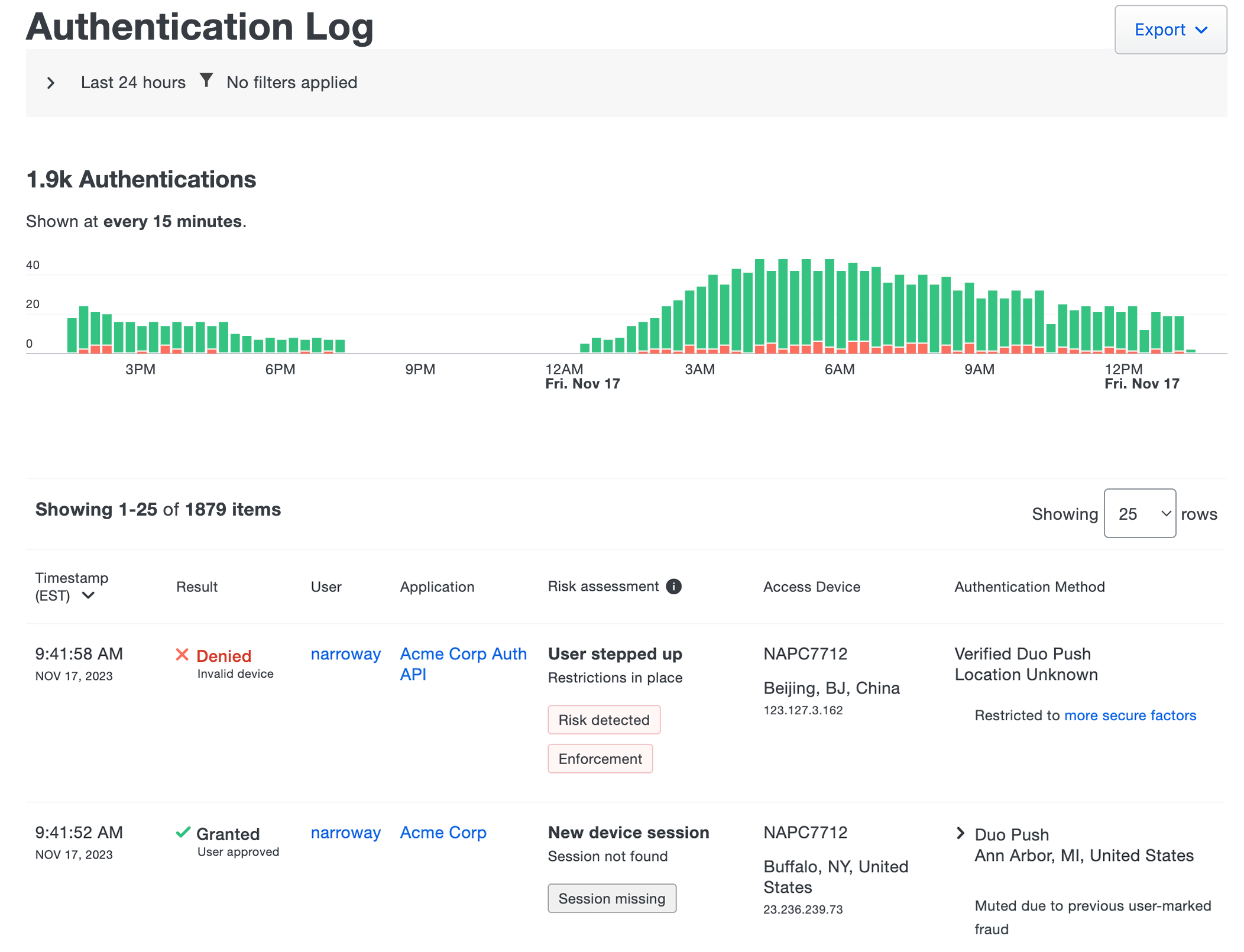



































































































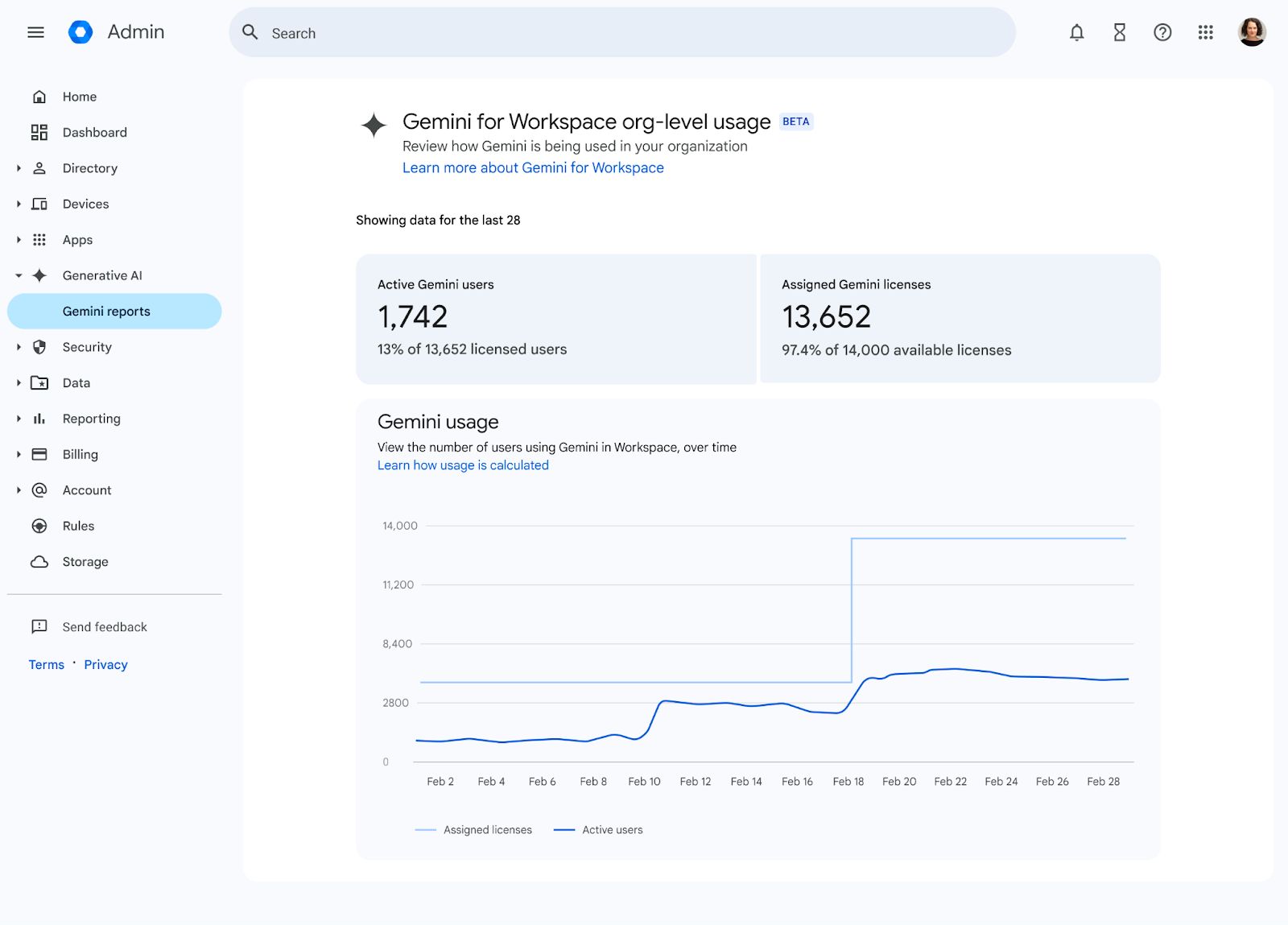
Google’s education guide includes this BETA organization-usage example with sample active-user and assigned-license counts. Its historical labels and figures are not current business-edition entitlements, client adoption, work quality or measured savings. Use the current report definitions to locate a coaching conversation, then assess verified output and rework separately.[7] View full-size image
A Gemini adoption review should compare assigned access with useful controlled work. High login activity can coexist with weak outcomes, repeated errors, personal-account workarounds, and unused licenses. The review must examine user capability, workflow fit, source quality, support, governance, and measurable business results by role.
Do not remove a license or access merely because a usage report looks quiet. Some roles use AI in periodic cycles. Confirm the business use case, seasonality, source availability, training, and manager plan. Likewise, do not expand access because users request it until the workflow and review controls are defined.
Businesses can use ALLMSP for Google Gemini reporting and measurement improvement for organizations in Lawrenceville and Suwanee, throughout Gwinnett County and Metro Atlanta, and across Georgia, with local assistance available when device, network, office, or employee work needs an on-site component.
Evidence to collect before changing Gemini user adoption
A useful review identifies who should have access, which workflows are active, whether users can apply safe prompting and review, what problems block adoption, which workarounds create risk, and whether the measured result justifies licensing and support. Findings lead to a role-specific action rather than one training message for everyone.
- Assigned licenses, service access, active and inactive use, role, department, device, and approved workflow.
- Training completion plus scored role-based exercises and source-review capability.
- Support tickets separated by access, prompt, source, output, integration, policy, and workflow causes.
- Personal-account and unapproved-tool workarounds with the reason users bypass managed services.
- Work samples, corrections, review records, rework, cycle time, adoption, and business outcome.
- Manager feedback, employee confidence, accessibility, mobile needs, and unresolved rollout barriers.
Worked example: include review time in a Gemini pilot
These times are hypothetical, chosen to show how to evaluate a workflow rather than claim an efficiency gain. Use approved, sanitized source material and repeat the exercise on more than one task.
| Trial | Drafting time | Checking and correction | Decision |
|---|---|---|---|
| Unassisted policy summary | 18 minutes | 5 minutes | 23 minutes total; record the same accuracy and completeness criteria used for the assisted trial. |
| First assisted attempt | 8 minutes | 17 minutes | 25 minutes total; a quicker first draft has not saved time after review. |
| Follow-up coaching exercise | Measure rather than assume | Check two critical claims, one missing-source case, and permitted inputs | Accept only if the final output meets the rubric; report actual local evidence without projecting company-wide savings. |
Supporting documentation: [6] [3]
Image documentation: [7]
Compare access and licenses with role-based need
Role and license alignment
What to check: Record each user's role, approved workflow, license, service access, last meaningful use, seasonal need, training status, and manager confirmation. Separate explorers from production users.
What to do next: Confirm the actual subscription or purchased add-on before changing assignments, correct access mismatches, and prioritize users with approved workflows and an appropriate verification process.
Distinguish a Workspace edition that includes Gemini features from a separately purchased eligible add-on. A low-use report can identify an interview or access problem; it does not by itself prove that a removable standalone Gemini license exists or that reassignment will reduce the bill.
Supporting documentation: [4] [5]
Approved workflow coverage
What to check: List active workflows, owners, source material, output rubric, human reviewer, fallback, frequency, and baseline. Identify ad hoc use with no defined business process.
What to do next: Formalize useful recurring work, retire low-value experiments, and keep exploratory use within the approved governance boundary.
Practical prompt skill
What to check: Observe whether the user states task, audience, source, constraints, format, examples, uncertainty, and self-check. Record where users rely on vague prompts or repeated trial and error.
What to do next: Provide coached role-based practice and an approved prompt pattern, then retest the same skill rather than assigning another general feature video.
Test practical user skill and source review
Source verification capability
What to check: Check whether users distinguish authoritative sources, find conflicting or outdated material, verify claims and calculations, and cite the correct record. Note broad Drive access that exposes irrelevant content.
What to do next: Correct source ownership and permissions, teach a source hierarchy, and require review evidence for high-impact output.
Restricted-data decisions
What to check: Test customer records, credentials, HR data, finance details, contracts, security findings, public information, and redacted examples. Record confidence and escalation behavior.
What to do next: Provide role-specific examples and approved alternatives, correct access controls, and require remediation for repeated unsafe decisions.
Output quality and rework
What to check: Compare accuracy, completeness, tone, formatting, source use, corrections, escaped errors, and time spent reviewing. Include rejected outputs so the sample is not biased toward success.
What to do next: Improve the source, prompt pattern, rubric, or workflow boundary according to the error cause. Stop the use case when review cost exceeds the value.
Support and recurring blockers
What to check: Separate access, licensing, permissions, source, prompt, output, integration, mobile, accessibility, and policy issues. Record resolution, repeat frequency, and affected roles.
What to do next: Fix system and workflow causes before adding training. Turn repeated solutions into concise role-based documentation and product changes.
Inspect workflow results, support, and risky workarounds
Personal-account and shadow AI workarounds
What to check: Identify the task users moved outside managed Gemini, the missing feature or access, data involved, destination, frequency, and whether a managed alternative exists.
What to do next: Protect exposed data, address the legitimate workflow need, provide an approved path, and enforce restrictions proportional to risk.
Mobile and accessibility fit
What to check: Observe access, navigation, input, output review, file selection, sharing, and support for employees who do not use the standard desktop environment. Record unsafe fallbacks.
What to do next: Adjust the workflow, training format, device management, or approved tool choice so users can complete the task without losing controls.
Business outcome and manager acceptance
What to check: Record cycle time, quality, rework, completion, user adoption, decision time, support cost, and business result. Confirm the manager values the outcome rather than only the novelty.
What to do next: Scale proven workflows, redesign unclear ones, reclaim unsupported licenses, and publish evidence with limitations and next actions.
Use the usage report to locate a coaching conversation, not to score an output's accuracy. Compare completed acceptable work with its checking and rework effort. Record the sample and time period and keep a small pilot's result separate from a forecast about the whole business.
Rank adoption findings by value and control impact
Treat unsafe data handling, unreviewed high-impact output, and personal-account workarounds involving business information as urgent. Treat inaccessible workflows, missing sources, repeated errors, and no support path as adoption risks. Inactive licenses and low-value experiments can be corrected after safety and workflow reliability.
Priority 1: Unsafe use or escaped output
Use this level for restricted data submitted improperly, unmanaged tools used with business information, high-impact output released without qualified review, or recurring errors that reached customers or decisions.
Priority 2: Workflow and user readiness gap
Use this level for weak sources, poor role fit, inaccessible workflows, repeated prompt failures, missing support, broad permissions, and training that users cannot apply.
Priority 3: License and adoption hygiene
Use this level for inactive assignments, low-frequency experiments, duplicate training, and unclear prompt libraries after safety and workflow issues are controlled.
Next task: check Gemini data and conversation controls; build the cross-product account and recovery register.
Frequently Asked Questions
How should Gemini licenses be reviewed by role?
Start with the user's Workspace edition, enabled Gemini surfaces, and any separately purchased eligible add-on, then connect that entitlement to a real job task. Many Workspace subscriptions already include Gemini features, so quiet usage does not automatically identify a removable standalone license. Consider seasonal work, access faults, training, and the actual subscription terms before proposing a reassignment or saving.
What evidence shows a Gemini workflow is production ready?
A named owner must demonstrate the workflow on approved inputs, verify its output against original evidence, and document the review, exception, and fallback steps. Test an ordinary case and a realistic failure case before releasing it. A polished demonstration or successful prompt is insufficient when the next person cannot repeat the task safely.
FAQ supporting documentation: [6]
How can Gemini prompt skill be assessed objectively?
Use the same bounded task, approved source material, and scoring rubric for each participant. Score factual accuracy, required details, safe input choice, and a usable final result; include review time and missed errors. Compare more than one example so a memorized prompt or lucky answer is not mistaken for a repeatable skill.
FAQ supporting documentation: [6]
How can a review test whether users verify Gemini output?
Ask the user to trace two important claims to the original source and show what they would do when the source is missing or contradictory. Include a deliberately unsuitable output in the exercise. Successful verification means correcting or rejecting it, not merely clicking a source link or accepting a fluent answer.
FAQ supporting documentation: [6]
How should Gemini data-handling skill be reviewed?
Give a realistic scenario containing permitted and restricted information and ask the user to choose what may be submitted, under which account, and why. Confirm the actual managed service and applicable protections before the exercise. Record unsafe choices and retrain using sanitized examples; do not expose genuine confidential data to test whether someone notices it.
What quality evidence should be collected for Gemini-assisted work?
Collect a small, approved sample of source material, initial output, reviewer corrections, final result, error category, and total handling time. Remove client or employee details that are unnecessary for the review. Use the same acceptance criteria for assisted and unassisted work; quality and rework determine whether a workflow is useful, not the number of prompts sent.
FAQ supporting documentation: [6]
How can Gemini support tickets reveal adoption barriers?
Group tickets by access/edition problems, unavailable features, weak source material, verification failures, and unclear workflows. Check whether repeated issues affect one role, application, or device, then test the proposed fix with that user group. A low ticket count can mean low adoption or unreported problems, so compare it with interviews and the scope of the usage report.
FAQ supporting documentation: [3]
Why do employees bypass managed Gemini accounts?
Common possibilities include a blocked managed workflow, unclear account selection, misunderstood feature limits, or missing training; establish the actual cause with the user. Provide an approved usable alternative and explain the relevant data boundary. An unmanaged account can change the applicable protections, so address any sensitive-data exposure separately from the adoption discussion.
FAQ supporting documentation: [5]
Should mobile and accessibility use be part of a Gemini adoption review?
Yes, when the role depends on those ways of working. Test a representative task with the user's supported device and accessibility setup, and document differences from the desktop workflow. Do not assume that a mobile app or managed Android profile offers every web feature; confirm current account eligibility and available controls before promising an equivalent experience.
FAQ supporting documentation: [5]
Which business outcomes should a Gemini adoption review measure?
Measure completed acceptable work, factual errors, review/rework effort, turnaround, and unresolved risk for a defined workflow. Compare a reasonable baseline with the assisted process, including human checking time. Treat any small pilot result as local evidence rather than a guaranteed company-wide saving, and keep adoption counts separate from business outcomes.
FAQ supporting documentation: [3]
Sources
- Control access to the Gemini app in Google Workspace. Official administrator guidance for service status, organizational scope, licensing, and conversation-history controls, with the planning steps on this page applying it to the work needed to measure Gemini adoption, output quality, and support gaps. ↩
- Controls for Gemini access to Workspace data. Official explanation of administrator, content-owner, sharing, download, and delegated-mail controls that affect Gemini data access, with the configuration checks here applied to the controls needed to measure Gemini adoption, output quality, and support gaps. ↩
- Review Gemini usage in an organization. Official guidance for organization and user adoption reports, app-level usage, last use, and audit-log analysis, with the review process on this page using that guidance to help the organization measure Gemini adoption, output quality, and support gaps. ↩
- Gemini AI features now included in Google Workspace subscriptions. ↩ ↩
- Use Gemini Apps with a work or school Google Account. ↩ ↩ ↩ ↩ ↩
- View related sources from Gemini Apps. ↩ ↩ ↩ ↩ ↩ ↩
- Google for Education: Gemini and NotebookLM administrator enablement guide. ↩
Source 2 cited here: ↩