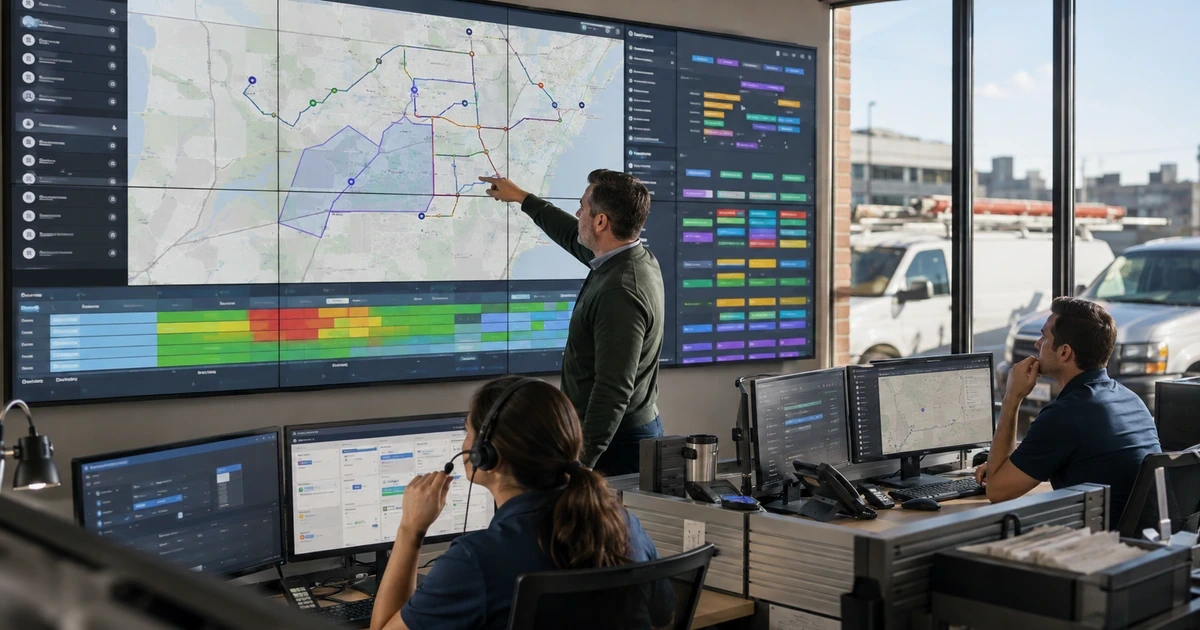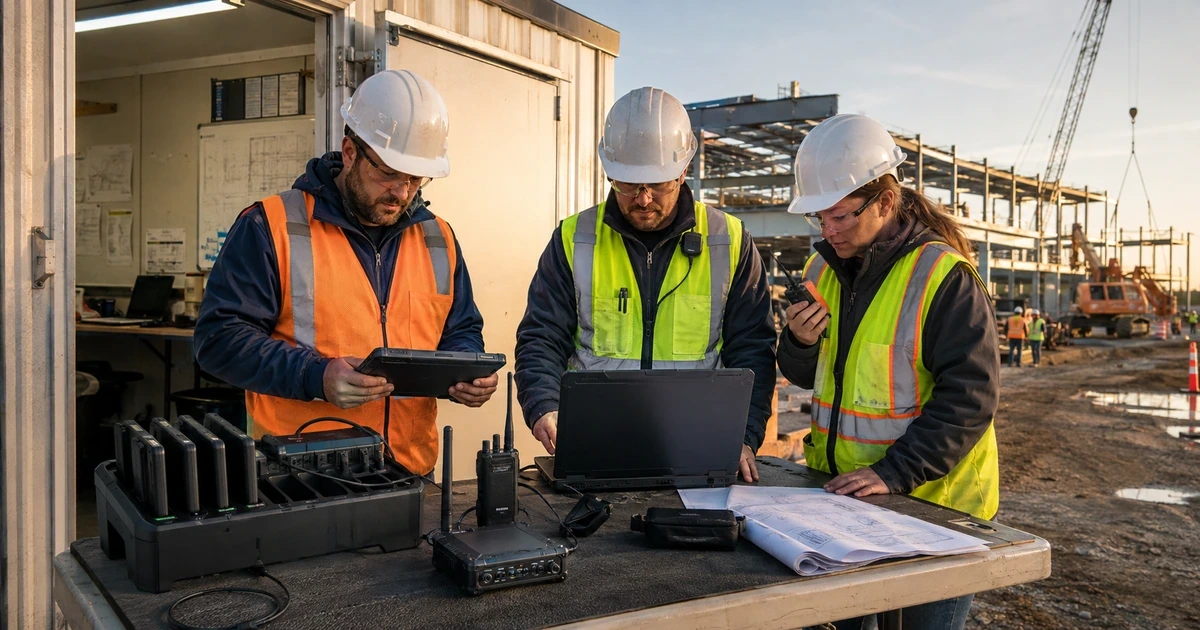
Construction technology must follow a project from opportunity and takeoff through contract, preconstruction, drawings, RFIs, submittals, procurement, daily reports, change orders, costs, pay applications, punch, turnover, warranty, and archive. The system must work in offices, trailers, vehicles, active jobsites, and remote locations with unreliable connectivity.
Begin with the contractor’s actual trades, licenses, contracts, owner and general-contractor requirements, insurance conditions, safety program, payroll and accounting decisions, and public or government project obligations. Technology can preserve approval, training, and project records, but it does not replace the qualified people responsible for construction, safety, contracts, accounting, or compliance.
What a dependable construction and contracting IT setup should accomplish
A dependable environment gives each worker a named identity, assigns only active projects and duties, keeps current drawings and decisions accessible, protects financial changes, manages field devices, limits subcontractor and provider access, supports offline and remote work, and proves that critical project records can be recovered.
- Estimating, project, drawing, RFI, submittal, schedule, procurement, field, change, cost, billing, closeout, and warranty systems have accountable owners.
- Office and field roles use named identity, MFA, project-based groups, managed devices, current applications, and supported communication paths.
- Drawings, specifications, RFIs, submittals, changes, photos, daily records, approvals, and financial decisions retain current versions and history.
- Vendor, subcontractor, architect, engineer, owner, and provider access is scoped, time limited, and closed at the correct project stage.
- Backup, jobsite connectivity, offline work, support escalation, payment verification, project closeout, and incidents are tested.
Map the complete project lifecycle, systems, records, and ownership
1. Map the project lifecycle and accountable systems
Follow representative service, residential, commercial, and public work that the contractor actually performs. Record the system of record, owner, required approval, identifier, handoff, mobile need, integration, retention, exception, and backup for each stage. Include lost bids and canceled jobs because their documents and access can persist.
Where to work: CRM, estimating, takeoff, bid, contract, project management, drawings, schedule, RFIs, submittals, procurement, daily logs, time, equipment, changes, accounting, billing, closeout, warranty, and archive
Verification: A project can be traced from opportunity through warranty without an undocumented spreadsheet, personal inbox, local photo folder, or duplicate application deciding the current record.
2. Create named identity and protected administration
Use individual accounts, MFA, role and project groups, separate privileged identities, protected recovery, and at least two company-controlled administrators. Remove shared trailer passwords, reused field accounts, routine local administration, and provider-owned primary accounts.
Where to work: Microsoft 365 or Google Workspace, project platforms, estimating, accounting, payroll, fleet, timekeeping, devices, network, backup, security, remote support, and provider administration
Verification: A backup administrator can recover core systems while a normal worker, subcontractor, or project user cannot enter administration or unrelated jobs.
3. Establish one controlled project record
Create the project from an approved award and use the same identifiers across systems. Assign office, field, owner, design, subcontractor, and accounting roles. Define where the current contract, drawings, decisions, costs, and closeout record live and how duplicates are reconciled.
Where to work: Project number and name, contract and scope, contacts, permissions, cost codes, folder and workspace template, drawings, specifications, RFIs, submittals, schedule, procurement, changes, photos, daily records, billing, closeout, and archive
Verification: A project manager, superintendent, estimator, accounting user, and executive can locate the same current project facts without relying on a person’s mailbox or desktop.
Protect identities, drawings, decisions, finances, devices, and field work
1. Control drawings, RFIs, submittals, and change decisions
Publish current versions through the approved platform, retain superseded history, identify responsible reviewers, record due dates and responses, link field decisions to cost and schedule effects, and prevent unmanaged email attachments from becoming the only approved record.
Where to work: Drawing and specification sets, revision history, distribution, RFI workflow, submittal log, design responses, field markups, change events, pricing, approval, superseded files, and mobile synchronization
Verification: A field user opens the current drawing offline, traces a revision and RFI, sees the approved submittal, and follows a change from notice through pricing, approval, and field direction.
2. Configure field connectivity, offline work, and support
Survey expected coverage, size connectivity for the real team and files, separate company, guest, and device traffic where appropriate, secure administration, document offline workflows, and provide a support route that works when the project platform or internet is unavailable.
Where to work: Jobsite internet, cellular coverage, trailers, Wi-Fi, network segmentation, guest access, printers, cameras, IoT where used, mobile synchronization, offline procedures, remote support, and escalation
Verification: The superintendent and field team complete drawing, photo, daily-log, time, and communication tasks during normal service and a controlled connectivity outage without unsafe workarounds.
3. Protect project accounting, payroll, and payment changes
Separate preparation, review, approval, release, reconciliation, and administration. Verify vendor, bank, direct-deposit, invoice, and payment changes through known independent contacts. Link approved changes to budget and billing and prevent a compromised email from changing instructions silently.
Where to work: Estimate handoff, budget, commitments, purchase orders, cost codes, time, payroll, vendor master, change orders, pay applications, lien and compliance records, banking, ACH, checks, and approval
Verification: A controlled vendor bank-change and pay-application test shows complete approval, callback verification, audit history, and separation from platform administration.
4. Manage field, office, mobile, and shared equipment
Enroll and protect company devices before use, assign named users where possible, configure supported shared-device modes, restrict local administration, control application stores and remote support, and define personal-device, photo, download, text-message, USB, loss, and disposal procedures.
Where to work: Device inventory, endpoint management, encryption, endpoint protection, patching, local privilege, mobile management, rugged devices, shared kiosks, vehicle systems, printers, remote support, loss, return, and disposal
Verification: Office and field users complete approved work on assigned and shared systems without personal email, consumer storage, unknown remote tools, unprotected local project records, or mixed user histories.
Connect subcontractors, integrations, support, backup, and incidents
1. Limit subcontractor, design-team, owner, and provider access
Assign access by company, role, project, contract, and workflow need. Keep sensitive cost, payroll, personnel, and other project records separated. Require sponsors and expiration, monitor downloads and invitations where practical, and close access after scope, project, or provider work ends.
Where to work: Project invitations, roles, company and contact directories, drawings, RFIs, submittals, schedules, photos, financial views, external sharing, service accounts, support access, start and end dates, and closeout
Verification: Representative subcontractor, architect, engineer, owner, and provider accounts can perform approved tasks and cannot discover unrelated projects, confidential cost data, administration, or expired records.
2. Build backup and continuity around project deadlines
Define recovery around bid, permit, inspection, delivery, schedule, payroll, pay application, closeout, and warranty deadlines. Protect copies from normal administrator compromise, document cloud and provider responsibility, automate useful exports, and test representative restores.
Where to work: Cloud and server backup, email, project exports, drawings, accounting, payroll, estimates, photos, configurations, contacts, closeout, warranty, alternate procedures, and recovery priorities
Verification: The team restores project drawings, communications, financial records, photos, configuration, and closeout material and continues a critical workflow during a primary-system outage.
3. Prepare incident response for office, field, and projects
Assign response for account takeover, payment fraud, ransomware, lost field devices, exposed drawings, unsafe remote access, provider outage, and compromised subcontractor accounts. Include how project deadlines, payroll, field communication, evidence, and recovery are maintained.
Where to work: Incident plan, employee reporting, monitoring, insurer and counsel contacts, owner and project communication decisions, provider and subcontractor escalation, financial controls, evidence, continuity, and recovery
Verification: A tabletop produces a time-stamped record of detection, containment, affected projects and information, financial protection, field continuity, communication decisions, recovery, and corrective actions.
Test real project workflows and jobsite continuity
Pilot with an estimator, project manager, superintendent, field worker, accounting or payroll user, executive, subcontractor, design participant, and remote support user. Run project setup, offline drawings, RFI, submittal, change, daily log, vendor change, pay application, device loss, closeout, restore, and incident.
- Award to project setup: Move a controlled estimate and contract into the project, accounting, drawing, and field systems. Pass: Identifiers, scope, roles, cost structure, records, and owners remain consistent.
- Current drawing and decision: Publish a revision, RFI, submittal, and change and test office, field, and offline views. Pass: Users see current direction and can trace history, approval, cost, and schedule effects.
- External access: Use subcontractor, architect, owner, provider, and expired accounts against representative projects. Pass: Each sees only approved projects and workflows and every temporary path closes.
- Payment verification: Introduce a fraudulent vendor bank or invoice change through a realistic email scenario. Pass: Independent verification and separated approval stop release and trigger response.
- Project restore: Restore drawings, project records, email, photos, accounting export, and configuration in isolation. Pass: Records are complete, readable, access controlled, and available within the required deadline.
- Jobsite outage: Disable primary connectivity or a project platform during active field work. Pass: The team uses documented safe alternatives, preserves later synchronization, obtains support, and maintains priority work.
Frequently Asked Questions
What should a contractor include in a construction technology map?
Relevant systems and records include CRM, estimating, takeoff, bid, contract, project management, drawings, schedule, RFIs, submittals, procurement, daily logs, time, equipment, changes, accounting, billing, closeout, warranty, and archive. Follow representative service, residential, commercial, and public work that the contractor actually performs. Record the system of record, owner, required approval, identifier, handoff, mobile need, integration, retention, exception, and backup for each stage. Include lost bids and canceled jobs because their documents and access can persist. Verify completion by confirming that a project can be traced from opportunity through warranty without an undocumented spreadsheet, personal inbox, local photo folder, or duplicate application deciding the current record.
How should administrator and field-user access be structured for contractors?
Relevant systems and records include Microsoft 365 or Google Workspace, project platforms, estimating, accounting, payroll, fleet, timekeeping, devices, network, backup, security, remote support, and provider administration. Use individual accounts, MFA, role and project groups, separate privileged identities, protected recovery, and at least two company-controlled administrators. Remove shared trailer passwords, reused field accounts, routine local administration, and provider-owned primary accounts. Verify completion by confirming that a backup administrator can recover core systems while a normal worker, subcontractor, or project user cannot enter administration or unrelated jobs.
Why should construction firms establish one system of record for each project?
Relevant systems and records include Project number and name, contract and scope, contacts, permissions, cost codes, folder and workspace template, drawings, specifications, RFIs, submittals, schedule, procurement, changes, photos, daily records, billing, closeout, and archive. Create the project from an approved award and use the same identifiers across systems. Assign office, field, owner, design, subcontractor, and accounting roles. Define where the current contract, drawings, decisions, costs, and closeout record live and how duplicates are reconciled. Verify completion by confirming that a project manager, superintendent, estimator, accounting user, and executive can locate the same current project facts without relying on a person's mailbox or desktop.
How can contractors keep field teams on current drawings and approved changes?
Relevant systems and records include Drawing and specification sets, revision history, distribution, RFI workflow, submittal log, design responses, field markups, change events, pricing, approval, superseded files, and mobile synchronization. Publish current versions through the approved platform, retain superseded history, identify responsible reviewers, record due dates and responses, link field decisions to cost and schedule effects, and prevent unmanaged email attachments from becoming the only approved record. Verify completion by confirming that a field user opens the current drawing offline, traces a revision and RFI, sees the approved submittal, and follows a change from notice through pricing, approval, and field direction.
What should contractors plan for jobsite internet and offline work?
Relevant systems and records include Jobsite internet, cellular coverage, trailers, Wi-Fi, network segmentation, guest access, printers, cameras, IoT where used, mobile synchronization, offline procedures, remote support, and escalation. Survey expected coverage, size connectivity for the real team and files, separate company, guest, and device traffic where appropriate, secure administration, document offline workflows, and provide a support route that works when the project platform or internet is unavailable. Verify completion by confirming that the superintendent and field team complete drawing, photo, daily-log, time, and communication tasks during normal service and a controlled connectivity outage without unsafe workarounds.
How can construction firms reduce payment-change and invoice fraud?
Relevant systems and records include Estimate handoff, budget, commitments, purchase orders, cost codes, time, payroll, vendor master, change orders, pay applications, lien and compliance records, banking, ACH, checks, and approval. Separate preparation, review, approval, release, reconciliation, and administration. Verify vendor, bank, direct-deposit, invoice, and payment changes through known independent contacts. Link approved changes to budget and billing and prevent a compromised email from changing instructions silently. Verify completion by confirming that a controlled vendor bank-change and pay-application test shows complete approval, callback verification, audit history, and separation from platform administration.
What device controls are important for construction offices and jobsites?
Relevant systems and records include Device inventory, endpoint management, encryption, endpoint protection, patching, local privilege, mobile management, rugged devices, shared kiosks, vehicle systems, printers, remote support, loss, return, and disposal. Enroll and protect company devices before use, assign named users where possible, configure supported shared-device modes, restrict local administration, control application stores and remote support, and define personal-device, photo, download, text-message, USB, loss, and disposal procedures. Verify completion by confirming that office and field users complete approved work on assigned and shared systems without personal email, consumer storage, unknown remote tools, unprotected local project records, or mixed user histories.
How should contractors manage subcontractor and external project access?
Relevant systems and records include Project invitations, roles, company and contact directories, drawings, RFIs, submittals, schedules, photos, financial views, external sharing, service accounts, support access, start and end dates, and closeout. Assign access by company, role, project, contract, and workflow need. Keep sensitive cost, payroll, personnel, and other project records separated. Require sponsors and expiration, monitor downloads and invitations where practical, and close access after scope, project, or provider work ends. Verify completion by confirming that representative subcontractor, architect, engineer, owner, and provider accounts can perform approved tasks and cannot discover unrelated projects, confidential cost data, administration, or expired records.
What should construction firms include in backup and continuity testing?
Relevant systems and records include Cloud and server backup, email, project exports, drawings, accounting, payroll, estimates, photos, configurations, contacts, closeout, warranty, alternate procedures, and recovery priorities. Define recovery around bid, permit, inspection, delivery, schedule, payroll, pay application, closeout, and warranty deadlines. Protect copies from normal administrator compromise, document cloud and provider responsibility, automate useful exports, and test representative restores. Verify completion by confirming that the team restores project drawings, communications, financial records, photos, configuration, and closeout material and continues a critical workflow during a primary-system outage.
What should a construction company incident-response exercise test?
Relevant systems and records include Incident plan, employee reporting, monitoring, insurer and counsel contacts, owner and project communication decisions, provider and subcontractor escalation, financial controls, evidence, continuity, and recovery. Assign response for account takeover, payment fraud, ransomware, lost field devices, exposed drawings, unsafe remote access, provider outage, and compromised subcontractor accounts. Include how project deadlines, payroll, field communication, evidence, and recovery are maintained. Verify completion by confirming that a tabletop produces a time-stamped record of detection, containment, affected projects and information, financial protection, field continuity, communication decisions, recovery, and corrective actions.