





























































































































































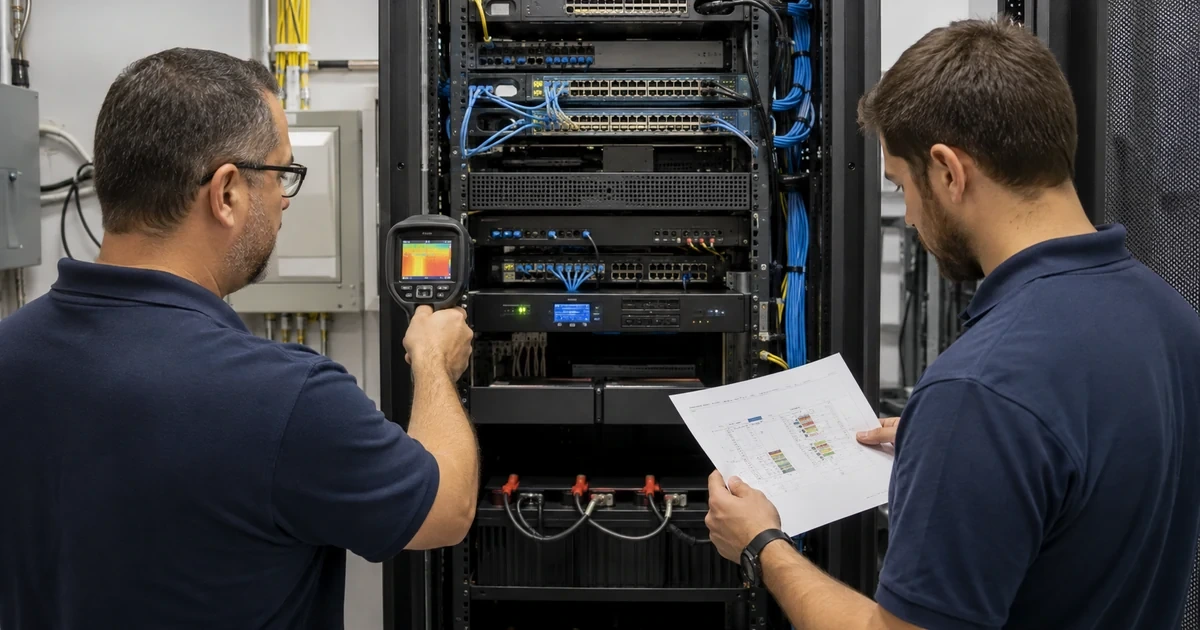
Office network outages rarely begin at the moment users lose connectivity. Warning signs may exist for months as rising interface errors, unstable uplinks, overheated closets, depleted UPS batteries, failing fans, unsupported firmware, full PoE budgets, expiring licenses, configuration drift, or internet failover that no longer works. A preventive review brings those signals together before a busy workday becomes an emergency.
The review should cover the complete path from the carrier handoff through modem or optical terminal, firewall, router, core and access switching, wireless, cabling, power, and critical endpoint. It should compare physical conditions, management data, configuration, monitoring, support status, capacity, and business impact. A tidy rack or responsive web interface does not prove resilience.
ALLMSP performs network equipment reliability reviews in house for businesses in Lawrenceville, Suwanee, Gwinnett County, Metro Atlanta, and throughout Georgia. We can inspect facilities, inventory devices, analyze health, validate backups, review security and lifecycle, test failover, correct findings, and create a prioritized operating plan.
Find network failure risks before they interrupt the workday
- Trace the path: Map carriers, handoffs, firewalls, routers, switches, wireless, cabling, power, endpoints, owners, and critical services.
- Inspect conditions: Check racks, access, temperature, airflow, dust, moisture, cable strain, grounding, power, UPS, fans, and physical damage.
- Analyze health: Review interfaces, errors, utilization, logs, CPU, memory, temperature, power, PoE, radio performance, and recurring events.
- Verify recovery: Test configuration backups, administrator access, licenses, firmware, spares, replacement, failover, rollback, and validation.
- Assess lifecycle: Track support dates, vulnerabilities, subscriptions, capacity, reliability, lead time, dependencies, and migration readiness.
- Prioritize action: Rank findings by outage impact, likelihood, active exposure, criticality, evidence, effort, dependency, and ownership.
Inspect the physical environment, power path, and network topology
Walk every telecommunications space, not only the main rack. Identify carrier equipment, firewalls, routers, switches, wireless controllers, access points, media converters, injectors, extenders, small edge switches, UPS units, power strips, fans, sensors, and undocumented devices. Record location, owner, power source, support state, and critical service. Photograph current conditions and compare them with drawings. Note blocked access, unstable mounting, water exposure, heat, dust, damaged cords, tight bends, unsupported cable weight, and equipment placed outside its environmental needs.
Trace electrical dependencies with qualified personnel where required. Record circuits, receptacles, UPS models, battery dates, measured load, runtime estimates, network cards, bypass arrangements, power supplies, redundant feeds, and generator relationships. Confirm what loses power during an outage and whether network monitoring remains able to report. Test UPS self-checks and planned runtime under controlled conditions according to manufacturer guidance. Replace failed batteries and overloaded or inappropriate power equipment through approved methods.
Map the logical and physical topology. Follow each carrier from handoff to firewall, router, core, distribution, access switches, wireless, servers, and important endpoints. Identify single uplinks, shared pathways, spanning-tree roles, link aggregation, routing, VLANs, trunks, optics, and dependencies on one room or device. Confirm that diagrams match neighbor and interface evidence. Include cloud-managed dependencies and what happens if the management service or internet connection is unavailable.
- Space inspection: Review access, racks, mounts, heat, airflow, dust, water, damage, cable routing, labels, grounding, and maintenance clearance.
- Power chain: Document circuit, receptacle, UPS, battery, load, runtime, power supplies, redundancy, generator, and monitoring.
- Device discovery: Find carrier, firewall, router, switch, wireless, injector, converter, extender, edge, and management devices.
- Topology proof: Reconcile drawings with neighbors, interfaces, routes, trunks, VLANs, uplinks, optics, and actual service paths.
- Failure domain: Identify which users and services are affected by loss of each device, path, room, circuit, or cloud dependency.
Physical and topology review reveals failure domains that software dashboards miss, including power, heat, access, carrier, pathway, and small edge-device dependencies.
Analyze device health, traffic, wireless behavior, and configuration drift
Collect a representative period of metrics and logs. Review device uptime, reboots, CPU, memory, temperature, fans, power supplies, stack state, interface changes, errors, discards, flaps, speed and duplex, link utilization, loops, spanning-tree events, route changes, VPN status, firewall resource use, session limits, and license warnings. Compare recurring events with support tickets and employee reports. Sudden silence may indicate failed telemetry rather than healthy operation.
Evaluate wired and wireless capacity around business use. Identify saturated uplinks, oversubscribed links, full switch ports, depleted PoE budgets, slow negotiations, duplex problems, broadcast growth, weak access-point placement, channel contention, interference, roaming failures, authentication delays, and coverage gaps. Compare busy periods and important rooms, not only averages. Separate internet, local network, DNS, authentication, wireless, application, and endpoint symptoms so the correct layer receives attention.
Compare running configurations with approved baselines and backups. Investigate unapproved accounts, weak management protocols, public exposure, old access lists, stale VPNs, unnecessary services, unused VLANs, permissive firewall rules, inconsistent time, expired certificates, missing log destinations, changed routes, and configuration that exists only on the device. CISA recommends central configuration storage, inventory, off-device logs, restricted management, and alerting for unexpected changes to network devices.
- Device health: Review uptime, restarts, CPU, memory, heat, fans, supplies, stacks, resources, license, and environmental alarms.
- Interface health: Inspect state, flaps, errors, discards, negotiation, utilization, aggregation, optics, loops, and spanning-tree events.
- Wireless evidence: Analyze coverage, signal quality, interference, channels, capacity, roaming, authentication, retries, and client experience.
- Configuration drift: Compare approved and running accounts, protocols, rules, routes, VLANs, VPNs, certificates, logging, and services.
- Telemetry check: Verify collection, timestamps, destinations, retention, alerts, tickets, owners, and response through controlled tests.
A reliability review should explain recurring symptoms with device, interface, traffic, radio, configuration, and support evidence rather than rely on one momentary health screen.
Test failover and turn findings into owned reliability improvements
Review recovery assets before testing failure. Confirm administrator access, protected credentials, console methods, current configuration backups, compatible firmware, licenses, certificates, spare equipment, optics, patch cords, power supplies, vendor support, carrier contacts, and restoration procedures. Test configuration export and compare it with the running state. Determine how a replacement device receives management connectivity and whether cloud-managed equipment can be adopted without losing the intended configuration.
Exercise failover in an approved maintenance window. Test secondary internet, redundant firewall or router functions, switch uplinks, power supplies, UPS runtime, wireless continuity, routing, VPNs, phones, critical cloud access, and monitoring according to the actual design. Record starting state, expected interruption, observed timing, session behavior, application effect, alerts, manual steps, failure, recovery, and rollback. A second circuit is not resilient when both carriers share one entrance, the firewall route is wrong, or DNS and voice do not recover.
Prioritize findings with business impact and evidence. Address immediate safety, unsupported internet-facing equipment, failed power, missing backups, public management, active exploitation, unstable core links, failed failover, and critical capacity first. Assign owner, due date, interim safeguard, dependency, budget, change window, validation, and accepted-risk authority. Create a recurring review for temperature, UPS, interface errors, configuration backups, firmware, licenses, capacity, failover, carrier performance, and lifecycle.
- Recovery kit: Verify access, console, backups, firmware, licenses, certificates, spares, optics, cables, power, support, and contacts.
- Failover test: Define scope, authority, expected result, business impact, observation, alerts, timing, recovery, and rollback.
- Service validation: Test internet, internal systems, cloud, DNS, identity, VPN, phones, wireless, transactions, cameras, and monitoring.
- Priority record: Assign evidence, impact, likelihood, criticality, safeguard, owner, due date, budget, test, and risk authority.
- Recurring review: Schedule physical, power, health, configuration, security, capacity, recovery, carrier, and lifecycle checks.
Reliability improves when every discovered weakness becomes an owned action and resilience claims are demonstrated through safe, documented tests.
Network equipment reliability assessments from ALLMSP
ALLMSP can inspect racks and closets, inventory devices, map topology, review power and cooling, analyze interfaces and wireless, compare configurations, validate backups, test failover, prioritize lifecycle risk, and implement corrective work through our in-house network team.
We help offices and multi-site organizations in Lawrenceville, Suwanee, Gwinnett County, Metro Atlanta, and across Georgia reduce preventable outages while improving security, documentation, capacity, and recovery readiness.
- Inspect: Evaluate spaces, power, equipment, cabling, topology, failure domains, support status, and physical condition.
- Analyze: Review health, interfaces, traffic, wireless, configurations, logs, alerts, capacity, security, and recurring incidents.
- Prove: Validate backups and access, exercise failover, prioritize risks, implement corrections, and retest services.
Official network equipment reliability and security references
Use official hardening and standards resources with manufacturer documentation, facility requirements, and a risk-based test plan designed for the organization’s topology and services.
- CISA communications-infrastructure hardening guidance. Covers network-device inventories, configurations, management isolation, logging, monitoring, accounts, and secure protocols.
- CISA StopRansomware Guide. Recommends current patches and secure configurations for VPN and network infrastructure devices.
- CISA Known Exploited Vulnerabilities Catalog. Supports prioritized remediation of vulnerabilities with evidence of exploitation in the wild.
- NIST firewall policy guidance. Provides guidance for firewall technologies, policies, selection, configuration, testing, and management.
- NIST Cybersecurity Framework 2.0. Frames governance, asset knowledge, safeguards, detection, response, and recovery outcomes.
Network equipment reliability review FAQs
How often should network equipment be reviewed?
Monitor health continuously, review meaningful operational measures monthly, inspect physical conditions on a schedule, and perform deeper assessments after major changes, outages, growth, or lifecycle events.
What equipment belongs in a network review?
Include carrier handoffs, modems, routers, firewalls, switches, wireless controllers and access points, injectors, converters, extenders, management systems, UPS units, and supporting cabling.
Why inspect network closets when devices are remotely managed?
Remote tools may not reveal blocked airflow, heat, dust, water, damaged cables, unstable mounting, failed fans, UPS problems, incorrect power, or undocumented equipment.
What are common warning signs before a network outage?
Watch for interface errors, flaps, overheating, power alarms, reboots, full resources, depleted PoE, expired licenses, failed backups, configuration drift, weak wireless, and failed failover.
How can a company know whether internet failover works?
Run a controlled test that measures detection, route change, DNS, VPN, voice, cloud applications, session behavior, monitoring, business impact, recovery, and rollback.
What should be backed up from network equipment?
Protect running and startup configurations, controller data, licenses, certificates, firmware references, topology, credentials, recovery steps, and other platform-specific information required to rebuild service.
How is wireless reliability evaluated?
Review coverage, signal quality, interference, channel use, capacity, roaming, retries, authentication, client distribution, application behavior, access-point health, power, and cabling.
Which network findings should be fixed first?
Prioritize safety, unsupported exposed devices, failed power, missing recovery, public management, active exploitation, unstable core paths, critical capacity, and failed resilience tests.
Can ALLMSP correct problems found during the review?
Yes. ALLMSP can replace, configure, update, secure, monitor, document, cable, test, migrate, and support network equipment through its own technical team.
Where does ALLMSP provide network equipment reviews?
ALLMSP serves Lawrenceville, Suwanee, Gwinnett County, Metro Atlanta, and organizations across Georgia with onsite and secure remote assessment.


