A weak Wi-Fi report does not identify the cause. The user may have low signal, high interference, a congested channel, poor roaming, a slow client, failed authentication, exhausted DHCP, broken DNS, a damaged cable, insufficient PoE, a busy switch uplink, a slow internet circuit, or an application problem. Adding access points without separating these conditions can increase interference and make the network harder to support.
Troubleshooting should connect a precise user experience to wireless, wired, identity, and application evidence from the same time and place. The report needs location, device, network name, movement, affected application, time, frequency, scope, error, and whether nearby users were affected. Controller logs, radio measurements, switch status, authentication records, DHCP, DNS, firewall, WAN, and application monitoring can then confirm or eliminate causes.
ALLMSP troubleshoots business Wi-Fi for organizations in Lawrenceville, Suwanee, Gwinnett County, Metro Atlanta, and throughout Georgia. Our in-house team can survey occupied facilities, analyze access points and clients, inspect cabling and PoE, correct switching and firewall issues, improve identity and segmentation, tune radio settings, validate applications, document findings, and provide ongoing monitoring.
Separate wireless symptoms from the systems that can create them
- Capture the report: Record exact place, time, device, network, movement, application, error, duration, frequency, scope, and workaround.
- Check the client: Inspect model, driver, radio capability, power state, association, band, channel, rate, authentication, and roaming history.
- Measure the air: Evaluate signal, noise, interference, utilization, overlap, neighboring networks, retransmissions, density, and hidden areas.
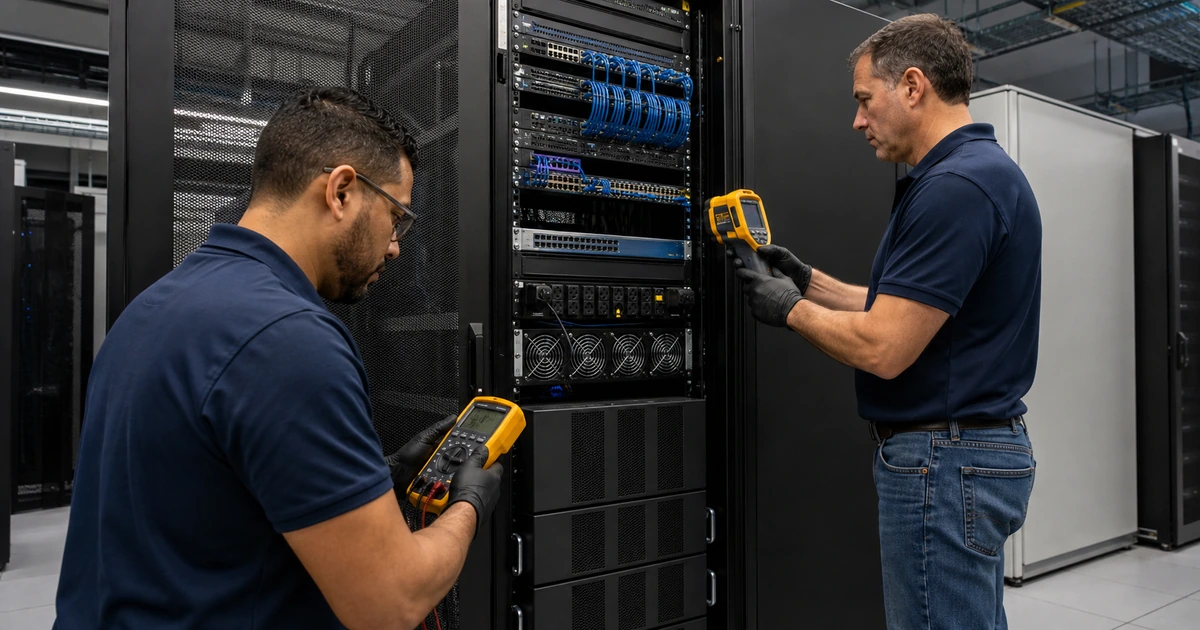
- Inspect the wired path: Verify cable, port, link, errors, PoE, VLAN, DHCP, DNS, firewall, controller, uplink, internet, and application.
- Reproduce the journey: Test the same device class, location, movement, network, application, and occupied condition before changing settings.
- Fix and retest: Correct the verified cause, inspect side effects, survey affected zones, monitor recurrence, and document the outcome.
Turn user reports into a reproducible wireless timeline
Ask where the issue begins and ends, not simply which room has bad Wi-Fi. Record floor, zone, desk, aisle, entrance, outdoor area, or movement route. Capture date, time, duration, frequency, network name, device model, operating system, wireless adapter and driver, power mode, application, destination, error, and action that restores service. Determine whether the device disconnected, remained connected without access, slowed down, failed to authenticate, joined the wrong network, or switched access points unexpectedly.
Establish scope. Compare another device of the same model, a known-good managed client, another network on the same device, nearby users, other applications, wired access, and another time period. Check whether the problem follows the user, client, radio, access point, room, floor, network, identity, application, or internet path. Avoid using an internet speed test as the only measure because it combines wireless, local network, firewall, WAN, provider, test server, and client conditions into one result.
Build a shared timeline from available systems. Correlate association, authentication, roaming, signal, retry, radio utilization, access-point health, switch link, PoE, port errors, DHCP leases, DNS failures, firewall events, internet performance, VPN, and application telemetry. Preserve controller and client evidence before rebooting when practical. If restarting clears the symptom, document what state changed instead of treating the temporary result as proof of root cause.
- Location evidence: Capture building, floor, room, coordinates or reference point, route, nearby access point, occupancy, and physical changes.
- Client evidence: Record hardware, operating system, adapter, driver, band, channel, rate, power, association, authentication, and roam.
- Application evidence: Name service, destination, protocol, local or cloud path, error, delay, interruption, frequency, and business impact.
- Scope comparison: Compare users, similar devices, known-good clients, networks, applications, wired service, locations, and time periods.
- System timeline: Align wireless, identity, switch, PoE, DHCP, DNS, firewall, WAN, VPN, and application events by time.
- Change restraint: Preserve evidence, change one justified variable, record old and new state, retest, and keep a rollback path.
A reproducible timeline turns a vague signal complaint into a bounded investigation that can distinguish radio behavior from identity, network, or application failure.
Measure coverage, capacity, interference, roaming, and client behavior
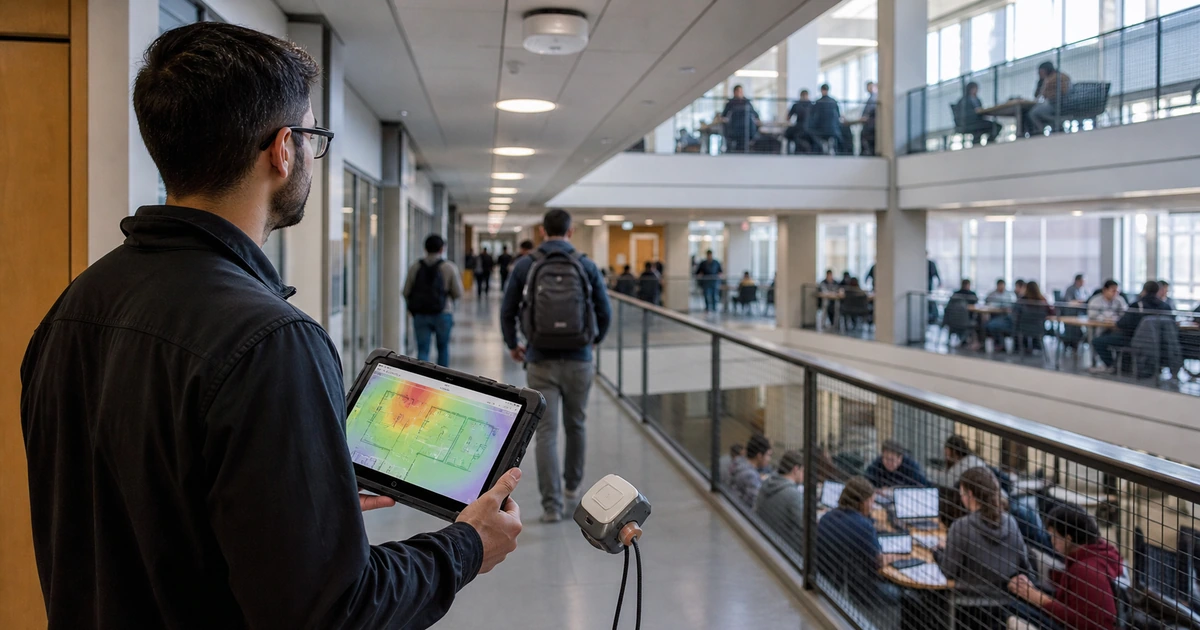
Survey the affected path under representative conditions. Measure signal and noise together, channel utilization, neighboring cells, non-Wi-Fi interference where tools support it, retries, data rates, airtime, access-point load, and client association. Inspect both directions because an access point may be heard by a low-power client that cannot communicate back reliably. Review mounting orientation, obstructions, new walls, doors, shelving, inventory, machinery, displays, and neighboring networks that may have changed since installation.
Separate coverage from capacity. An area can show strong signal while many clients share limited airtime or a few slow devices consume disproportionate transmission time. Wide channels can reduce the number of reusable channels in a dense deployment. Excess transmit power can make clients remain attached to a distant access point. Too many overlapping radios can raise contention. Too few cells can overload busy rooms. Evaluate band support, channel plan, power, channel width, minimum rates, steering, density, application traffic, and actual client capabilities together.
Analyze roaming from the client’s perspective. Most clients decide when to leave one access point and join another, so two device models can behave differently on the same path. Verify cell overlap, authentication time, key-management support, controller settings, sticky-client behavior, and application tolerance. Test voice, video, scanners, and other mobile workflows while walking realistic routes. Do not enable every roaming feature without confirming that the client population supports it and that the change improves the measured task.
- Coverage evidence: Measure signal, noise, cell boundary, uplink behavior, obstructions, mounting, band, device, and required application.
- Capacity evidence: Inspect client count, airtime, utilization, retries, rates, traffic mix, density, busy periods, and access-point load.
- Interference evidence: Review neighboring networks, co-channel use, adjacent use, non-Wi-Fi sources, construction, machinery, and time patterns.
- Radio design: Evaluate channels, width, power, band use, overlap, rates, steering, reuse, cell size, and dynamic-control behavior.
- Roaming evidence: Record source and destination access points, client trigger, signal, authentication, delay, packet effect, and application continuity.
- Client diversity: Test representative models, radios, drivers, power states, operating systems, security support, and application profiles.
Measured coverage, capacity, and roaming explain why strong signal bars can coexist with poor user experience and why access-point quantity alone is not the solution.
Verify cabling, PoE, switching, identity, network services, internet, and applications
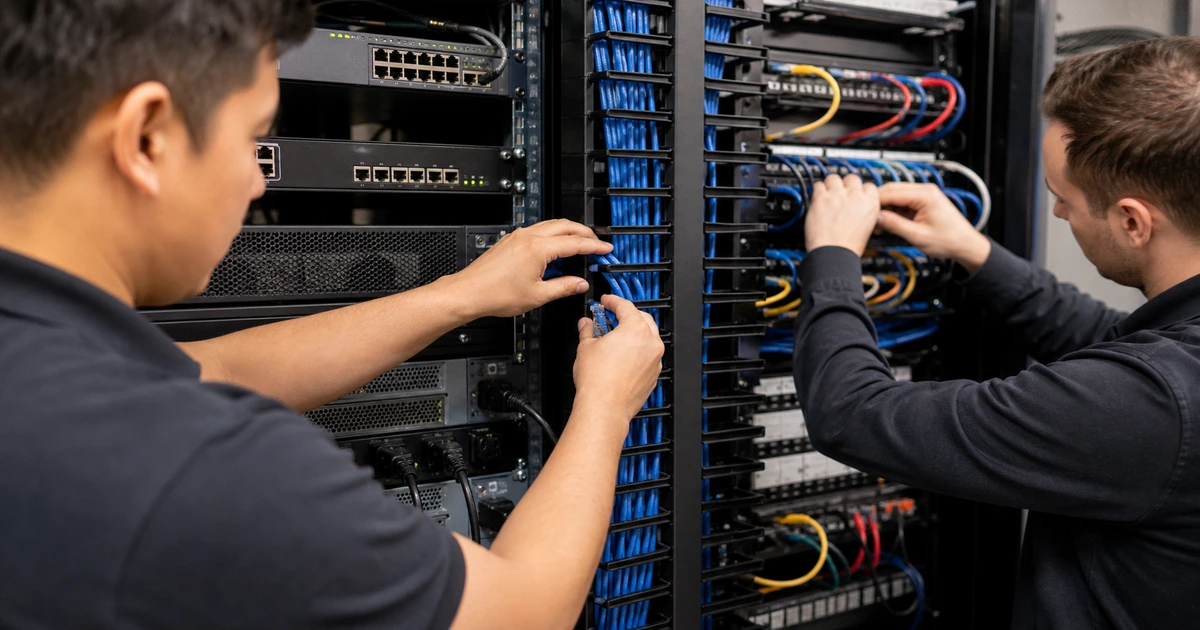
Inspect the access point’s wired foundation. Check cable certification and length, terminations, patch leads, port negotiation, link speed, duplex, errors, drops, PoE class, total switch power budget, power events, uplink capacity, loops, VLAN assignment, trunks, quality of service, switch health, UPS, and controller reachability. An access point may remain online while operating at reduced power or link capability, and that condition can disable radios or limit throughput without appearing to users as a complete outage.
Follow the client session beyond association. Verify authentication and certificate state, identity logs, authorization, VLAN or role assignment, DHCP scope and lease, gateway, DNS, network access control, firewall policy, content filtering, VPN, internet circuit, and destination application. Test guest portals and device onboarding separately from managed corporate access. Look for failures tied to expired certificates, time synchronization, stale credentials, address exhaustion, DNS delay, blocked ports, path changes, or cloud service incidents.
Correct the verified cause with a controlled change and retest the original task. Possible actions include moving or adding an access point, correcting cabling, increasing PoE capacity, redesigning channels or power, adjusting density, replacing unsupported clients, updating drivers or firmware, correcting identity, expanding DHCP, fixing DNS, changing firewall policy, improving WAN capacity, or resolving application behavior. Run a validation survey, monitor the affected period, review neighboring zones for side effects, update diagrams and settings, and document accepted limitations.
- Cable and port: Check certification, patching, distance, negotiation, rate, errors, drops, flaps, VLAN, trunk, uplink, and label.
- Power delivery: Verify PoE standard, requested and delivered power, switch budget, priorities, events, UPS, and reduced-function states.
- Network service: Test authentication, role, VLAN, DHCP, gateway, DNS, time, firewall, filtering, VPN, controller, and management.
- External path: Inspect internet capacity, latency, loss, provider events, cloud status, destination performance, and application dependencies.
- Controlled correction: Define cause, change, risk, owner, window, rollback, original test, adjacent test, monitoring, and acceptance.
- Final evidence: Update survey, diagrams, locations, cables, ports, radio settings, client findings, exceptions, alerts, and support notes.
A complete fix follows the session from client radio through access point, cable, switch, identity, network services, internet, and application, then proves the original work succeeds.
Business Wi-Fi troubleshooting and repair from ALLMSP
ALLMSP can capture user evidence, analyze wireless controllers and clients, perform site surveys, inspect access points, certify cabling, diagnose PoE and switches, correct identity and network services, tune radio settings, validate applications, monitor recurrence, and document the result with our in-house team.
We troubleshoot office, warehouse, retail, restaurant, education, healthcare, and multi-location wireless networks in Lawrenceville, Suwanee, Gwinnett County, Metro Atlanta, and throughout Georgia.
- Diagnose: Correlate user, device, radio, controller, cable, switch, identity, DHCP, DNS, firewall, WAN, and application evidence.
- Correct: Repair placement, cabling, power, configuration, capacity, clients, network services, security, internet, and application paths.
- Verify: Repeat the original task, survey affected and neighboring areas, monitor recurrence, update documentation, and train support.
Primary guidance for diagnosing business wireless networks
Use recognized wireless lifecycle and survey guidance, but confirm the cause with the organization’s actual facility, clients, applications, wired network, identity, and operating conditions.
- Cisco Wireless Site Survey FAQ. Describes how site surveys assess radio behavior, coverage, interference, placement, wiring, capacity, and occupied conditions.
- NIST Guidelines for Securing WLANs. Recommends secure wireless configuration, evaluation, maintenance, and continuous monitoring across the WLAN lifecycle.
- Cisco Access Point Deployment Guide. Provides a current example of access-point survey capabilities and model-specific RF measurements.
- ALLMSP Low Voltage Wiring. Wireless surveys, access-point installation, cable certification, racks, switching, testing, and network support.
Business Wi-Fi troubleshooting FAQs
Why can Wi-Fi be slow with full signal bars?
Strong signal does not show interference, channel contention, retries, airtime, client limits, cabling, PoE, switch, internet, DNS, firewall, or application performance.
Does adding another access point always improve Wi-Fi?
No. An added radio can increase interference and contention when placement, channels, power, density, wired capacity, and client behavior are not designed together.
What information should users provide about Wi-Fi problems?
Provide exact location, time, device, network, movement, application, error, duration, frequency, nearby users, business impact, and any action that restores service.
What is the difference between Wi-Fi coverage and capacity?
Coverage describes whether usable radio service reaches an area. Capacity describes whether available airtime and network resources can support the users and applications there.
Why does Wi-Fi fail only when the office is busy?
Peak client density, traffic, airtime, neighboring networks, meetings, devices, and upstream demand can expose capacity or interference problems absent during empty-building tests.
Why do some devices have trouble while others work?
Clients differ in radio bands, antennas, drivers, power behavior, security support, roaming decisions, operating systems, and application tolerance.
Can a network cable cause a wireless problem?
Yes. Damaged cable, poor termination, reduced link speed, port errors, VLAN mistakes, limited uplinks, or insufficient PoE can affect an otherwise healthy access point.
How is a Wi-Fi repair verified?
Repeat the original task with representative devices, resurvey affected and neighboring areas, inspect system evidence, monitor the problem period, and document the result.
Can ALLMSP troubleshoot the whole wireless path?
Yes. ALLMSP handles clients, access points, surveys, cabling, PoE, switching, firewalls, identity, DHCP, DNS, internet, applications, monitoring, and support in house.
Where does ALLMSP provide business Wi-Fi repair?
ALLMSP serves Lawrenceville, Suwanee, Gwinnett County, Metro Atlanta, and organizations across Georgia through local and remote service.