





























































































































































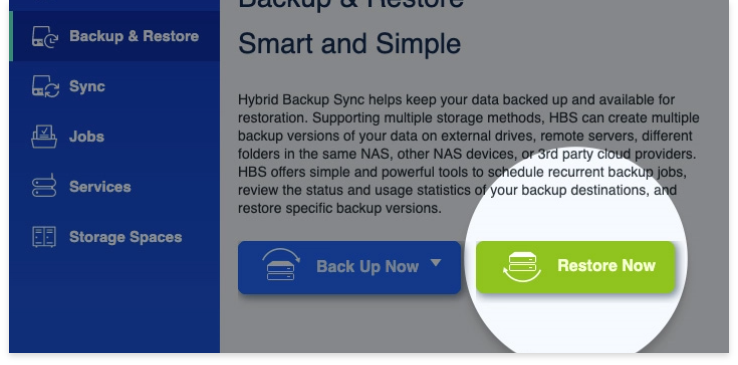
QNAP manufacturer interface example showing Restore Now. Verify the controls in your installed HBS version; this is not an ALLMSP recovery-test result.
Prove QNAP HBS 3 recovery by restoring a known file version to a separate test location, opening it and checking who can access it. A completed backup job, an intact-looking QDFF folder and a successful integrity check answer different questions. None alone proves that the required business work can resume.
This exercise covers HBS 3 file-backup recovery and QDFF extraction. It is not an entire-NAS image restore or an instruction to overwrite production folders. Record the installed HBS and NAS OS versions and compare their available options with the versioned guide; destination type and job history affect the available recovery and verification paths.
Choose the recovery route from the backup you actually have
Locate the backup destination, the archive or job, the required point in time and the authorized credentials. Confirm that the recovery operator can reach them without depending solely on the original NAS. Preserve the backup structure; do not rename or reorganize internal archive files while troubleshooting.
| Situation | Appropriate starting point | What still needs proof |
|---|---|---|
| Original backup job remains available | HBS restore from the existing backup job | Correct version, target and conflict policy |
| Backup data exists but the original job is gone | HBS restore by locating the backup destination | Correct storage-space credentials and backup identity |
| QDFF archive must be read on a computer | Supported QuDedup Extract Tool | Complete accessible archive, correct version and recovered contents |
| A completed backup job must be reconnected | Review HBS relinking separately | Original source pairing and eligibility; relinking is not a restore test |
| The NAS itself must be rebuilt | Separate system, application and data recovery plan | Supported target, configuration limitations and service acceptance |
HBS documents both an existing-job route and a destination-based restore route. Losing a job entry therefore does not by itself establish that its backup data is unusable.[1] QNAP’s QuDedup Extract Tool can preview and recover selected files from downloaded QDFF archives on supported Windows, macOS or Ubuntu computers. Check the actual utility release and host requirements before the exercise.[2]
Do not infer backup format only from today’s QuDedup switch. Identify what the job actually produced and choose its recovery reader. A QDFF archive is not simply a working folder whose internal contents should be manually rearranged.
Restore a bounded sample without overwriting current work
Choose a small sample with known meaning: a document with a recognizable revision, a file removed after the selected backup point and a representative specialist file if the workload uses one. Write down the expected content and version before restoring. Use a restricted, separate destination with enough capacity and no production users editing it.
In HBS, review the source, required version and destination before confirming. The destination-based guide distinguishes a metadata-only option from file-data restoration and lists conflict handling that can rename, replace or skip existing files. A job completing under a skip policy can leave an old destination file untouched. Read the summary and job report, not just the completion indicator.[3]
For a QDFF computer recovery, select the required version and sample through the supported extraction tool, then recover into an empty test folder. Validate the tool’s current prompts rather than assuming an old screenshot matches your release. The goal is a readable independent copy, not a successful archive preview alone.
If the backup uses client-side encryption, ensure an authorized operator can retrieve the required password independently. HBS restore includes a client-side encryption-password policy. A reachable cloud account or visible archive name does not establish access to encrypted contents.[3]
Check business contents and permissions as separate results
| Check | Evidence to retain | A failure worth escalating |
|---|---|---|
| Version and contents | Owner identifies the expected revision or record | Newest copy substituted for the requested historical one |
| Application usability | Actual application opens and interprets the representative file | File exists but is corrupt, locked or missing dependencies |
| Completeness | Expected deleted sample and selected supporting files are present | Filters, version selection or skipped files leave a gap |
| Authorized access | Approved ordinary account performs the intended action | Only an administrator can use the recovery |
| Restricted access | An account outside the approved role remains denied | Copied data becomes broadly accessible |
| Elapsed time | Measured restore and owner-check time with the scope recorded | A tiny file drill is presented as a whole-service recovery estimate |
File readability and restored authorization are different acceptance tests. HBS documents ACL and extended-attribute options, differences between QTS and QuTS hero ACL settings and the need to match usernames and user IDs or use the same directory identity source. Do not assume that two accounts with the same visible name have the same effective identity.[3]
Illustrative failure: a restored spreadsheet opens for the administrator but the finance group is denied, while an unrelated user can browse the test folder. The bytes may have been recovered, but the access result fails acceptance. Keep the test location restricted and reconcile the identity and permission design before any production replacement.
Use the business backup-testing program to assign an owner, scope and follow-up date for these findings. It complements this HBS-specific drill without substituting a generic checklist for the actual recovery method.
Use integrity checks as evidence, then test a real restore
HBS offers quick and content checks with different coverage. Its versioned integrity reference describes metadata or hash comparisons, destination-dependent behavior and job-version restrictions. A content check can temporarily download backup files and create cloud transfer charges or substantial system load. Schedule the supported check deliberately; do not promise that every historical job has the same options.[4]
Review skipped and failed items in the report. A check that validates the files present in a repository cannot establish that a never-selected business folder was included. Likewise, an automatic repair attempt is not evidence that a user has successfully opened the required recovered revision.
If the task is reconnecting backup data to continue an existing job, review relinking on its own. HBS relinking automatically pairs backup data with the original source folder, and the documented cloud case requires deduplication on the original job. Do not experiment with source mappings during a file-recovery incident.[5]
If the recovery sample was never selected for backup, revisit the HBS 3 backup-job plan to check source coverage and retained versions. If a run reports unexpected omissions, use the HBS 3 warning investigation to collect the affected-file evidence before changing the job.
Identify what this file drill does not recover
List system configuration, installed applications, application-specific settings, identities, network dependencies and business files separately. QuTS hero’s system-configuration restoration requires the same OS and a compatible version, excludes shared-folder contents and excludes specific application settings. A configuration file plus one HBS file task is not proof of complete appliance recovery.[6]
Return storage-layout questions to the QTS and QuTS hero deployment plan; use the QTS pool-capacity investigation if the recovery destination lacks working space. Choose a different supported test destination when necessary rather than filling a struggling production pool with an uncontrolled restore.
ALLMSP’s Data Backup & Recovery service and QNAP support can start with the archive location, job type, OS and HBS versions, encryption owner and a named sample to recover. Request a recovery-readiness review with those facts and the actual failed test. Record results as observed evidence; do not turn this limited exercise into an unmeasured recovery-time promise.
Frequently asked questions
How do I prove that a QNAP HBS backup is recoverable?
Restore a known version to a restricted separate location, open it in the real application and check completeness and ordinary-user access. Retain the job report, tested scope and owner acceptance; a successful backup status alone is insufficient.
Can HBS restore data if the original backup job was deleted?
How can I recover a QDFF archive on a computer?
Use a supported release of QNAP QuDedup Extract Tool to preview and recover selected files from the accessible archive. Check its host requirements and restore to a separate test folder before accepting the result.
[2]Should a restore test replace current production files?
Start in a restricted separate destination. Replacement can overwrite current work, while skip policies can leave an existing file unchanged. Approve the target, version and conflict behavior before the task runs.
[3]Does metadata-only recovery prove that the file data was restored?
No. HBS distinguishes metadata-only and file-data restoration options. Confirm the selected mode and prove that the actual expected contents are present and usable.
[3]What if I can reach the backup but do not have its encryption password?
Reachability does not establish access to encrypted contents. Identify the backup’s encryption method and retrieve the required recovery credential through the authorized owner before treating the archive as recoverable.
[3]Will recovered permissions work automatically on another QNAP?
Do not assume so. HBS documents QTS and QuTS hero ACL differences and identity-mapping requirements. Check the relevant ACL options and actual usernames, user IDs or shared directory identities, then test allowed and denied access.
[3]Does an HBS integrity check replace a file restore test?
No. It checks defined aspects of the backup with job- and destination-dependent coverage. A real restore still needs to prove the requested version, application usability, completeness and permissions.
[4]Can an HBS content check generate cloud download costs?
Yes. QNAP documents that content checks can temporarily download backup files and that providers may charge for this traffic. Review the supported check, repository size and service costs before scheduling it.
[4]Is a system-configuration file enough to recover the entire NAS?
No. QuTS hero configuration files exclude shared-folder data and specific application settings and have OS and version requirements. Plan system, applications, identities and business-data recovery as separate, testable scopes.
[6]

