





























































































































































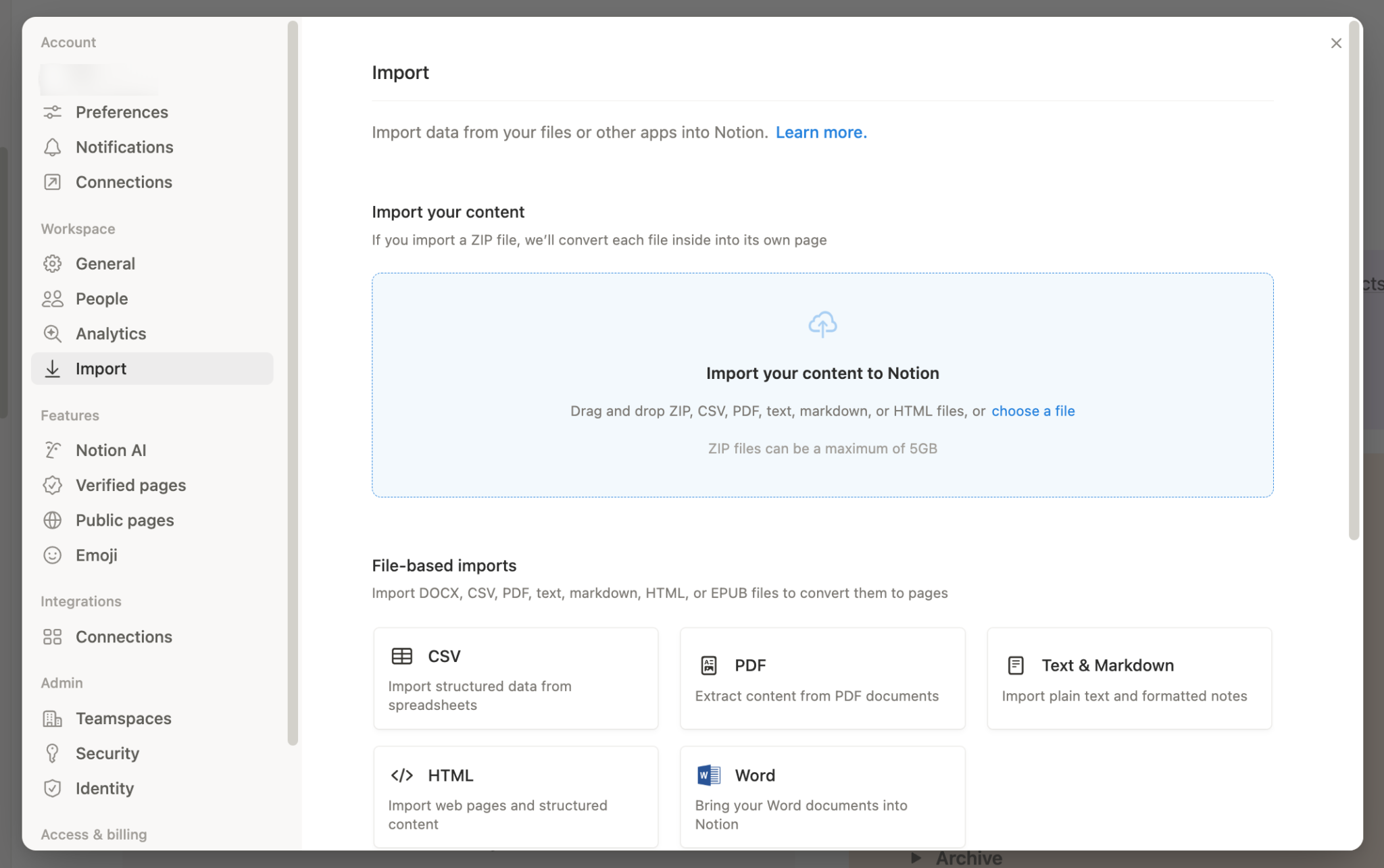
Notion’s published Import screen shows CSV among the file options. This is the entry screen, not column mapping or a completed import. The visible 5 GB label applies to ZIP files; use the CSV-specific limits and reconcile a small sample before adding the full batch.[1] View full-size product image
A CSV import can finish and still leave a database that is hard to use: account codes lose their intended format, dates change meaning, or a second attempt adds duplicate work. Start with a small sample and an expected result for each column. Keep the original file and avoid repeatedly merging the same batch into a live database.
Decide whether this is a new batch or a correction
Notion’s CSV import and Merge with CSV add rows rather than update them. Use desktop or web and map the intended destination properties.[1]
Write down the source filename, export time, row count excluding the header, and the receiving database URL. Assign a batch label in the source if that suits your workflow. Keep a stable source identifier as ordinary data so an owner can compare records later; its presence does not turn import into an upsert.
| Symptom | Inspect before another import | Useful decision |
|---|---|---|
| Same records appear twice | Whether the same batch was already added | Compare source IDs and remove only owner-confirmed duplicates |
| Date means March 4 or April 3 | Source date convention and a known sample | Agree on one representation before processing the full file |
| Account code or amount changes | Property type and original string | Preserve identifiers as text; test numeric columns separately |
| Expected records are absent from a view | Actual destination and current view criteria | Separate a view issue from missing imported rows |
Map meaning before changing property types
Text, Number and Date properties serve different purposes. A code that happens to contain digits is not necessarily an amount. Inspect the actual property type before changing a working database; a visible currency format is also different from the stored value.[2]
The importer specifies MM/DD/YYYY dates, UTF-8 and matching merge headers. For problematic numeric strings or comma-containing Select values, test Text mapping before conversion.[1]
If the receiving database looks short, inspect its view filters and search. Views can show different subsets of the same database. Count the relevant records in an appropriate review view rather than changing a shared production view just to make the count agree.[3]
Reconcile a small, deliberately awkward sample
The following is an illustrative import check. Make a separate review database or another approved test destination. Use harmless rows that include the formats your real file depends on, then inspect the resulting page and property values, not just the import notification.
| Source value | Intended meaning | Accept only after checking |
|---|---|---|
| Reference 00127 | Identifier, not arithmetic | Text retains the leading zeros |
| 03/04/2027 | March 4 in the agreed source convention | The date property represents the intended day |
| Service, renewal | One descriptive value | Text remains one value rather than unintended separate options |
| Three unique source IDs | One row per source record | Three intended pages are present with no earlier batch duplicated |
Once that sample is correct, process a bounded batch and compare source IDs, row counts and several edge cases. If a result is wrong, stop and establish which rows were actually added before retrying. Preserve the source file so another person can reproduce the comparison without guessing.
Do not mistake a CSV for the whole database design
CSV limits are 5 MB on Free and 50 MB on paid plans. Smaller batches are easier to reconcile.[1]
Continue with the part that needs attention
If the rows are sound but calculated totals are wrong, use the Notion relation and rollup checks. Before giving a client the imported information, review the page, guest and public-sharing boundaries.
Frequently asked questions
Will Merge with CSV update records that have the same ID?
No. It adds rows. Compare stable source IDs yourself before importing a correction or a repeated batch.
[1]Can I perform the documented Notion import on a phone?
Use Notion on desktop or web for the import workflow; the current guide does not offer it on mobile.
[1]What should I test before importing a full spreadsheet?
Use a few harmless rows containing a real date pattern, a leading-zero identifier, punctuation and a numeric edge case. Record the intended value for each before importing.
[2]Why should an account code be imported as Text?
A code is an identifier. Treating it as a number can make arithmetic formatting inappropriate; compare the resulting string with the original.
[2]Should I retry immediately when the expected rows are not visible?
Does a different view mean the imported rows were deleted?
No. Check its filters and search against the same underlying database before deciding that rows are absent.
[3]Will a CSV recreate my formulas and rollups?
No. Plan to check or rebuild database logic separately after the imported values have been reconciled.
[1]Will exported relation URLs restore my database relationships?
Do not assume so. The relations documentation says exported relational CSV does not re-establish relations on re-import; verify any supported existing-property mapping with real linked-page checks.
[4]What is a safe way to handle duplicate rows?
Have the data owner identify the added batch using source IDs and the preserved file. Remove only confirmed unwanted records after checking whether anyone has already used or edited them.
[1]

